
Notes that meet you there.
Give a note a place, and it waits there for you. Memotack rings when you arrive — the shopping list at the shop, the returns slip at the post office — so you don't have to remember to remember.
 © Mapbox © OpenStreetMap
Reminders that know where they belong.
Contextual nudges exactly when and where you need them — and nowhere else.

Pinpoint triggers
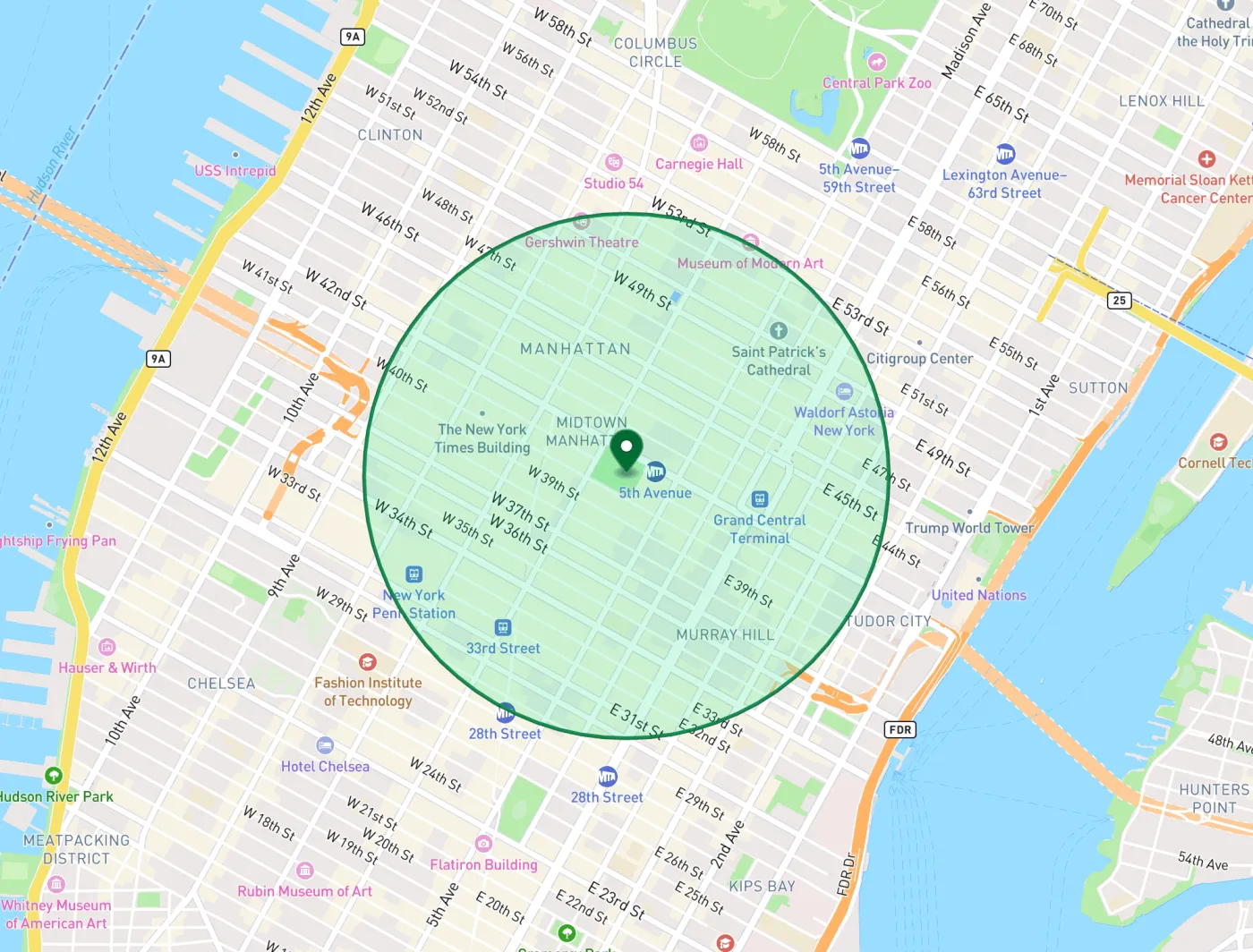
Attach a place to any note and set how close you need to be — anywhere from 100 metres to 5 kilometres. The radius is yours to adjust.

Rings on arrival
The alert fires when you enter the area, even if the app is closed. Leaving again stays quiet — no nagging on the way out.

Use my current location
Standing where the reminder belongs? One tap drops the pin, no address typing and no map wrangling.

Places you name once
Call somewhere "Office" or "Amma's" the first time you pin it, and it's a single tap from then on — no map, no address, no standing there again.

The map names it for you
Search for a place or just drag the map. Drop the pin and Memotack asks the phone what's underneath, so the note's chip reads "Grand Central · 1.0 km" rather than a pair of coordinates.

Survives a restart
Android drops geofences when the phone reboots. Memotack puts yours back automatically, so a restart never silently loses a reminder.
Your location stays on your phone.
Location is only ever asked for when you actually set a place reminder — never on first launch, and never as the price of using the app. The matching happens on your device through Android's own geofencing: we don't collect your coordinates, don't track your movements, and never send your location anywhere. Skip place reminders entirely and Memotack never asks for location at all.
Where would your first one go?
Tell us what you'd pin and where — support@varodax.com